Review Procedures
Purpose: Use Review Procedures to document and enforce reviews directly within your Human Review steps, so every review is captured in-app without changing your existing workflows.
1. Add a procedure item to a Human Review step
When you open a Human Review step in an Agent, you'll now see the option to add a procedure item.
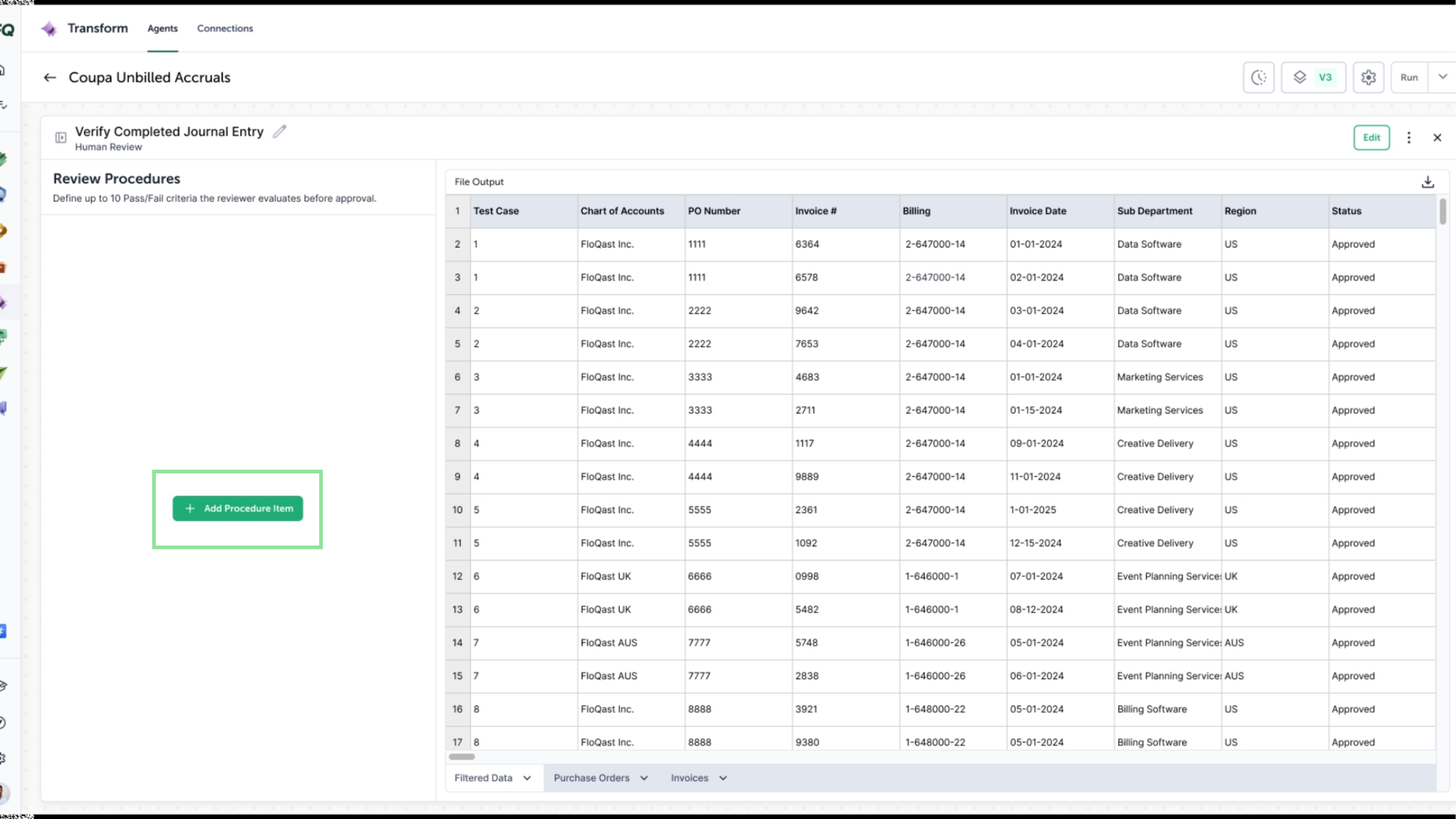
The option to add a procedure item in a Human Review step.
2. Build your review procedures
Adding a procedure item opens a dedicated draft experience where you define your review criteria, so the full scope of the review is set before the Agent goes live.
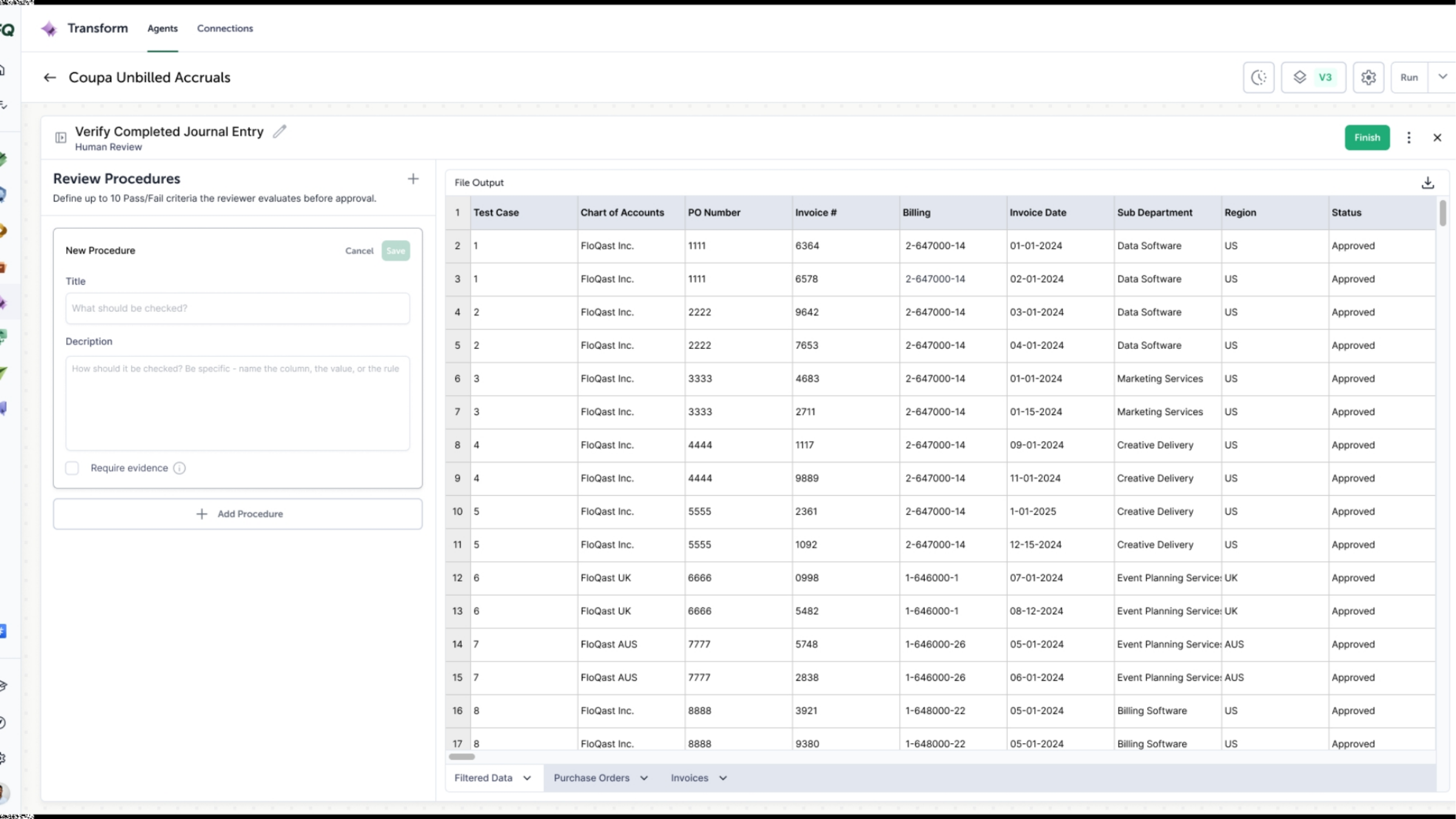
Drafting review criteria for a procedure item.
3. Guide reviewers through each item
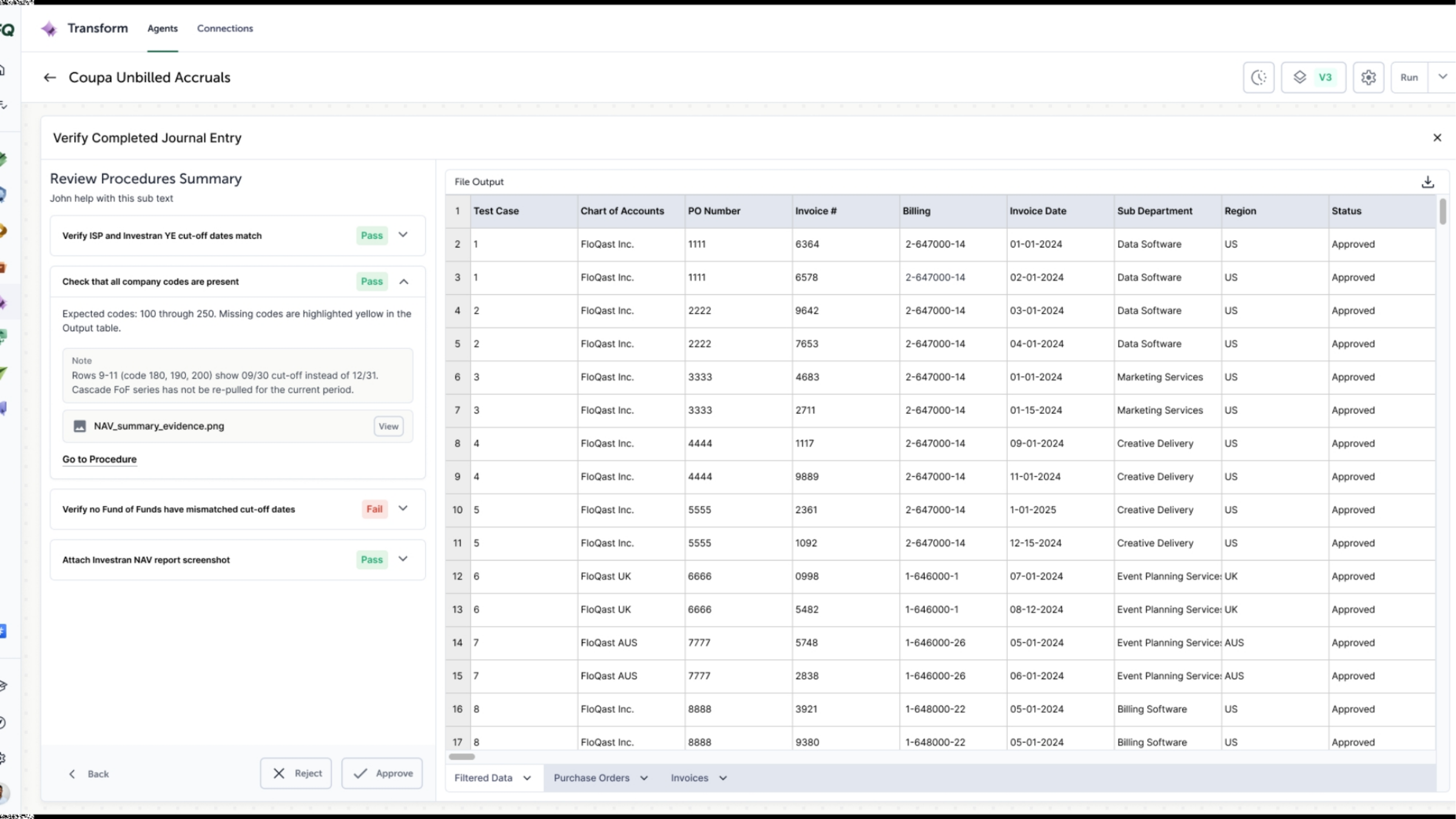
When the Agent runs, your saved procedures guide the reviewer through the review. Reviewers document and attest to their assessment of each item.
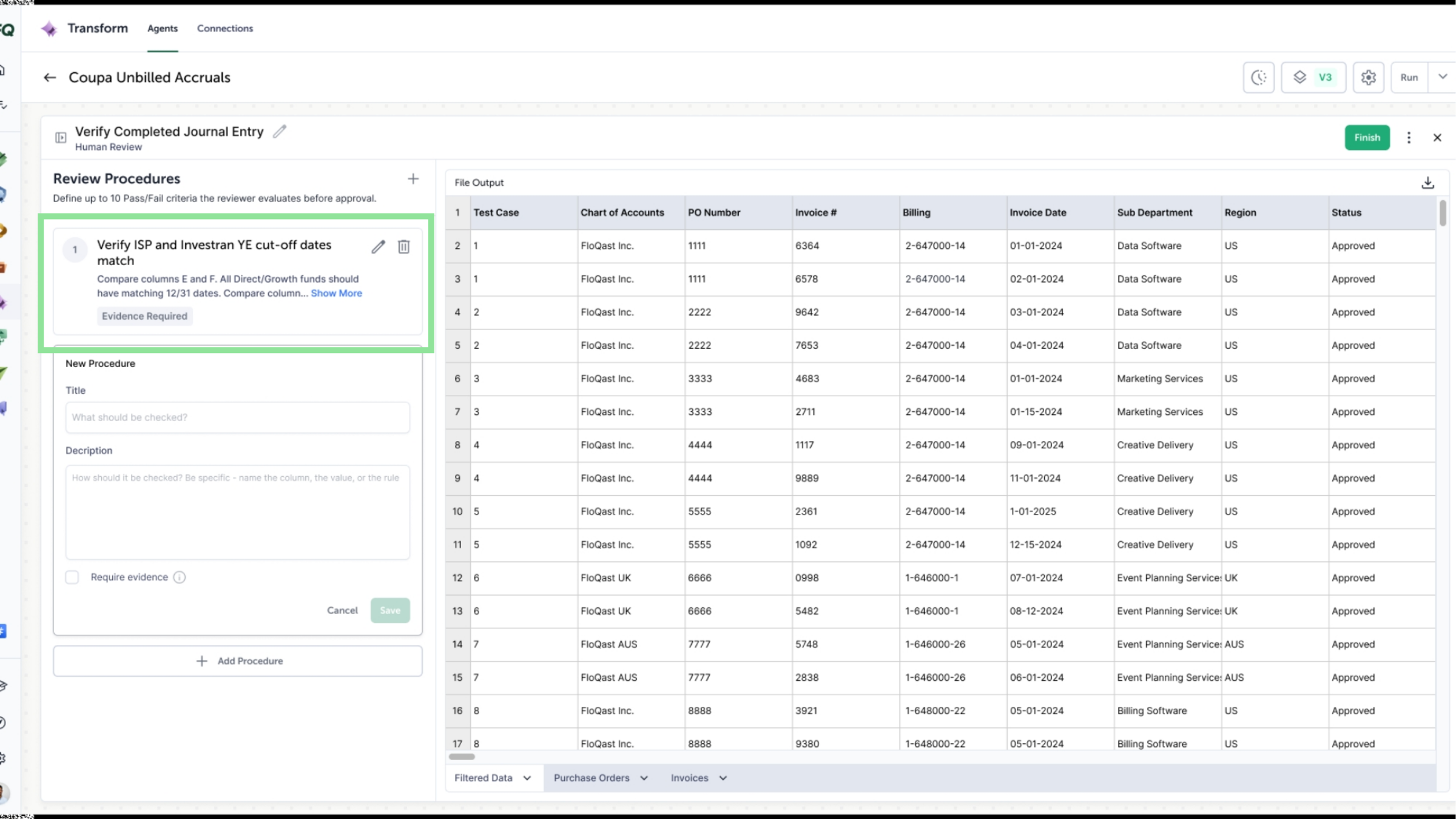
Reviewers document and attest to each procedure item.
4. Complete every item before approving
Reviewers must complete all procedure items before they can approve or reject the step. Every review is fully documented in the app, with no optional or off-platform steps.
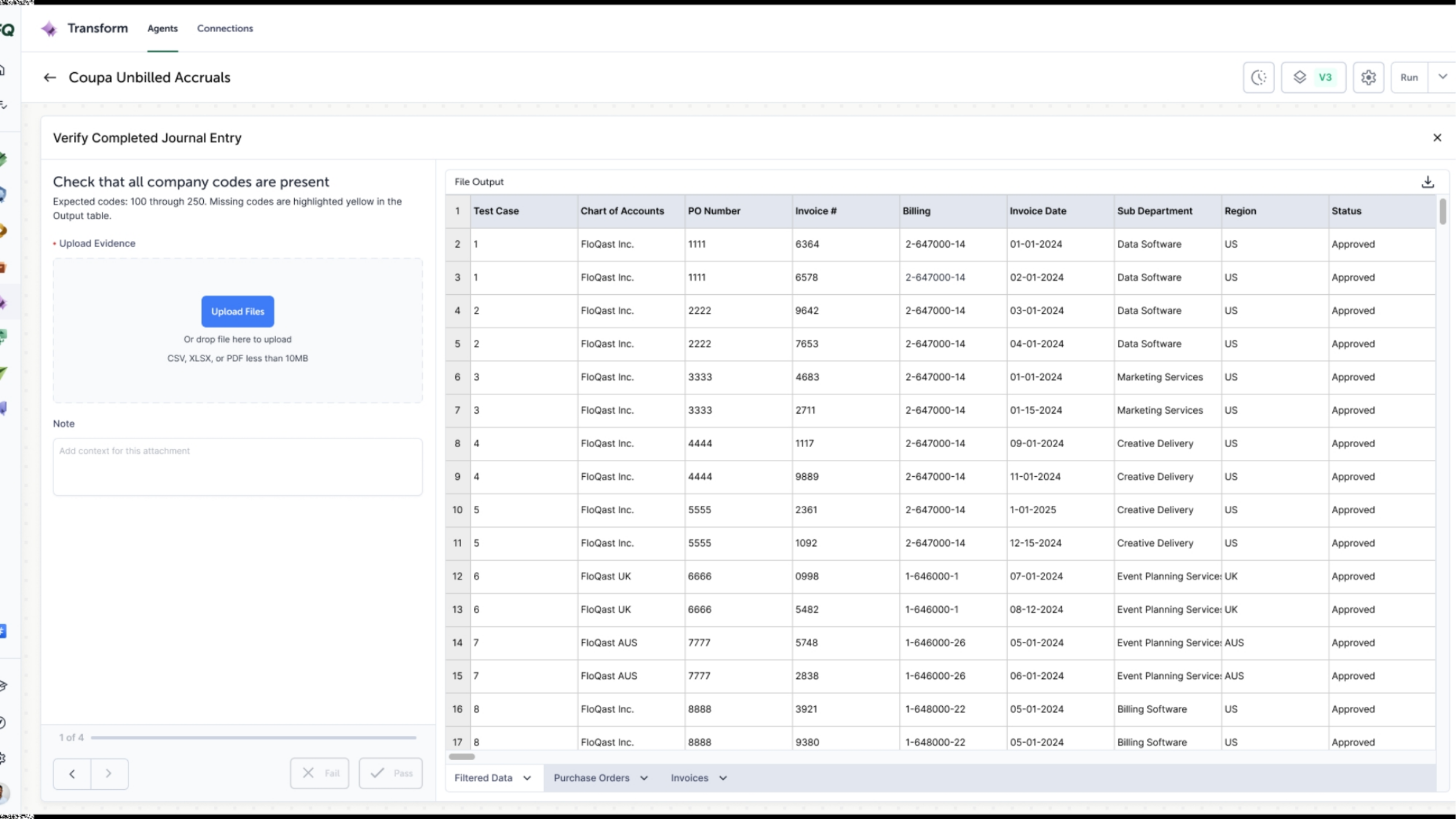
Approval is available only once every procedure item is complete.
5. Export the review evidence
All review evidence is saved to an exportable Excel file, Review Comments, available from the Results panel. It gives you a portable record of every attested review.
The Review Comments file in the Results panel.
6. Human review, built into the workflow
Review Procedures keeps human review steps woven into your workflow, so critical checks happen at the right stages without leaving Transform.
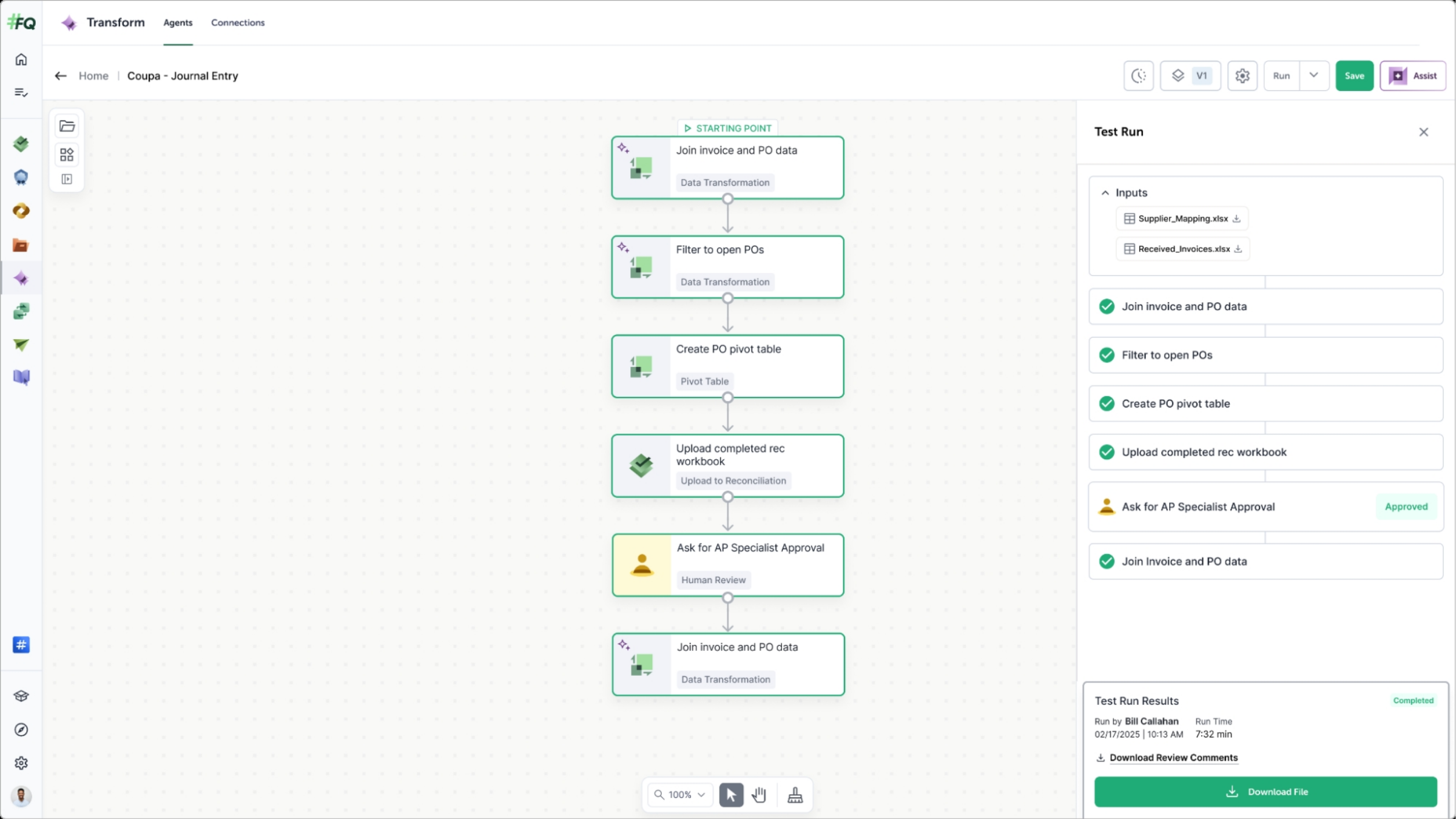
A Human Review step within the workflow.